Claude 3 landed. Is it the first real alternative for client-facing writing?
For client-facing writing, yes, Claude 3 is worth a serious trial. Anthropic released it this month in three sizes, and it is the first model many writers say does not fight them quite so hard on tone. It tends to over-explain less and hedge less, which matters when the output is headed toward a client’s name, homepage, or campaign. It does not change the real bottleneck: someone at your firm still has to know what good sounds like and edit toward it.
What “writes with restraint” actually means
When writers say a model shows restraint, they mean it does less of the annoying stuff. It does not swell every paragraph to twice the length it needed. It does not cushion every point in soft, qualifying language. It does not reach for a grand conclusion when the sentence only had to be clear.
If you have used the current tools for any real copy, you know the tics. The draft opens by restating your prompt back to you. It reaches for inflated verbs where plain ones would do. It hedges every claim with “may” and “could” until nothing sounds committed. It adds a summary paragraph nobody asked for, then signs off with a cheerful line that has no place in a client email. Cleaning that up is quiet, repetitive work, and it adds up across a week of drafts.
That work matters more in client-facing copy than in an internal note. When a draft is headed for a website, a proposal, or a campaign asset, tone is part of the deliverable. The person editing should be shaping meaning, not endlessly trimming padding and softening claims. Claude 3 seems to improve that part of the job. It does not mean the model writes perfectly. It means the editing feels different, and often lighter.
Three sizes, and why that is not just a spec sheet
Claude 3 did not arrive as one model. Anthropic released it as a family of three, named Opus, Sonnet, and Haiku, built for different tradeoffs between speed and depth. Haiku is the quick, light one. Opus is the most capable and the most considered. Sonnet sits between them.
For a small firm the practical read is simple. You do not have to pick one size and live with it. A fast, light model is fine for rough first passes and short internal text. The heavier model earns its place on the copy that carries the client’s name, where you want the extra care. You are matching effort to the stakes of the task, not settling on a single setting forever.
The real comparison is ChatGPT, Claude, and Gemini
For most agencies right now, the question is not which single model to marry. It is how the tools already on the desk compare on your actual work.
ChatGPT is the familiar baseline for many teams, and a lot of firms have already wired it into the repetitive parts of their process. Gemini, renamed from Bard last month, is in the evaluation set too, especially for shops living inside Google’s tools all day. Microsoft Copilot is there for teams standardized on Office. Claude 3 enters that group not because it changes the category, but because it may handle writing style in a way some teams find easier to work with.
That is reason enough to keep more than one tool around. Different models are better at different jobs, and writing quality is an area where taste shows up fast. If you have already worked ChatGPT into your day, none of that setup goes to waste when a new model appears; the two things sit side by side. For a sense of how far that kind of setup can go, see How ChatGPT can help automate your agency workflow. Adding a stronger writer to the bench is a small change on top of a system that already runs.
The important part is to compare the tools on your real work, not on benchmark charts or the screenshots making the rounds online.
What did not change
The bottleneck is still taste.
No model removes the need for someone at your firm to hear when a sentence is wrong for the client, when the logic is thin, or when the draft is clean but tonally off. That judgment is the valuable part, and it is the part a model cannot hand you.
Knowing the client is specific, concrete work. It is remembering that one client hates an exclamation point, that another wants dry and technical with no adjectives, that a third works in a field where a confident claim needs a source standing behind it. It is knowing the words a brand refuses to use and the reading level its audience actually has. A model carries none of that until a person puts it in front of the model and checks that it landed.
This is where some teams get sloppy. They treat a better model as permission to lower the editing bar. Usually the opposite is true. The cleaner the first draft gets, the more obvious it becomes that the real work is choosing direction, setting voice, and telling the difference between a line that is persuasive and a line that is merely smooth. If your team already edits well, Claude 3 makes that nicer. If your team does not know what it is listening for, no model fixes that.
Run a simple test, then decide
Do not overcomplicate the evaluation. Take one live brief, ideally one you have already delivered and were happy with, so you know what the target sounds like. Run it through the two or three writing tools you already have, using the same prompt each time.
Then judge honestly. Strip the labels off the drafts so you are reacting to the writing and not the logo. Have whoever normally edits mark each one up the way they would a junior’s work, ideally without sighing too theatrically. Count what each draft costs to fix: tone corrections, cuts, facts checked, vague lines replaced. The one that needs the least reshaping wins, not the one that reads best on the first skim.
You do not have to switch everything to learn something. You may decide Claude 3 becomes your writing option while another tool stays useful for other tasks. You may decide it is not better enough to change anything this month. Either answer is fine when it comes from a real comparison on your own work instead of launch-week enthusiasm. For agencies producing client-facing copy, Claude 3 looks like the first alternative in a while that earns a fair trial on merit.
FAQ
Is Claude better than ChatGPT for writing?
For some teams, it may be. The practical difference is whether the draft needs less cleanup for tone, hedging, and over-explaining. Claude 3 has a reputation for a lighter touch on exactly those things, but reputation is not your brief. Judge it on the copy your firm actually produces.
Should we switch tools or add one?
Adding one is usually the saner first move. A side-by-side trial on real work tells you more than a full switch based on a launch week. Keep what already works, slot the new model in beside it, and let a few weeks of actual drafts decide whether it stays.
Can we trust it with client information?
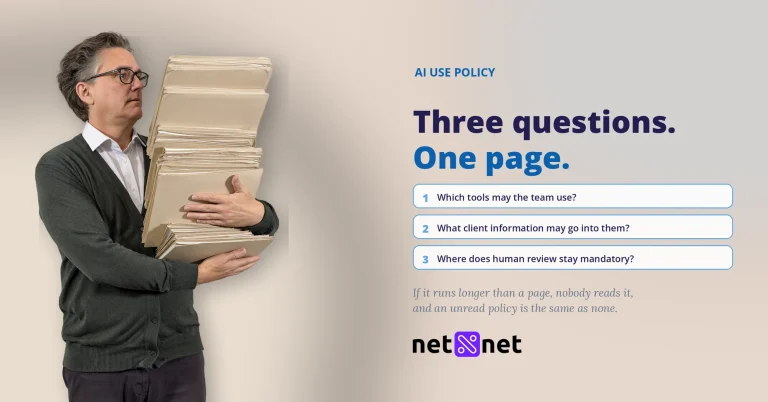
Treat that as a policy question, not a casual habit. Review what the tool allows and how it handles what you type in, decide what level of client material is allowed to go near it, and be consistent about that line across the team. Set the boundary once, in plain terms, and make sure everyone who drafts knows where it sits.
See your work before it drifts.
Net Net keeps plan and effort side by side, so you catch the slip while there is still time to act.
Start your free trial