How do I keep quality control when the team uses AI tools?
Treat AI-assisted work like a junior draft: useful, sometimes surprisingly good, and never ready to leave the shop without review. Give the team a short list of what a human must check, including facts, sources, client voice, and the errors the tool makes with total confidence. Then make that review a required Task with a named owner. AI may speed up the first pass. Your firm’s name is still on the final one.
AI output can look finished before it is trustworthy
AI output often looks finished long before it is trustworthy. The writing is smooth, the structure is complete, and the answer sounds certain. That polish is exactly what makes a careful review easy to skip.
Set the expectation that the output is source material. The person using it still has to decide what is accurate, useful, original, and right for this client. Pasting it into the Deliverable does not turn it into approved work.
The junior-draft comparison works because teams already know the pattern. A newer teammate can produce a strong start, but someone experienced checks the thinking, evidence, and fit. AI needs the same review, with one extra complication: the tool cannot explain what it misunderstood or take responsibility when it was wrong.
Define uses where raw output is never acceptable. Final strategy, public factual claims, recommendations, client-facing creative, and sensitive subject matter should always pass through meaningful human judgment.
Give reviewers a short list of known failure points
Create a short review standard for every AI-assisted Deliverable:
- Facts are verified against reliable sources.
- Sources exist, are current enough for the task, and support the claim.
- The work matches the client’s approved voice, audience, and context.
- Names, dates, figures, links, and quotations are checked.
- Confidential material has been handled within the account rules.
- The work does not copy a recognizable source or imitate protected material.
- Instructions, formatting, and accessibility requirements are satisfied.
Add checks for the work type. Code needs tests and security review. Research needs source evaluation. Design needs originality, brand, and production checks. Meeting summaries need a person who attended to confirm the decisions and owners.
Keep it usable. A giant checklist becomes one more thing the team skips when a deadline gets tight. A short list of known failure points gives the reviewer somewhere useful to look.
The policy behind these rules belongs in How do I set an AI use policy for my agency?.
Make human review a real Task
“Make sure someone checks it” is not a workflow. Add review as a named Task with an owner, a due point, and a clear definition of done.
Separate creation from approval when the risk is meaningful. The person who made the draft may be too close to it or may repeat the same assumptions they gave the tool. A second person brings fresh eyes to the facts, logic, and client fit.
Keep the same delivery stages whether the first draft came from a person or a tool. Draft, internal review, revision, approval, and delivery still matter. AI changes how the first version gets made. It does not move the finish line.
Plan the review effort. If the estimate assumes AI makes the Task nearly instant, the reviewer may have no room for the part that protects quality. Track creation and review separately for a while so you can see whether the new method reduces total effort or simply moves it.
This is also where quality checkpoints in your delivery workflow help. The checkpoint should stop the work from moving forward until the required human review is complete.
Know where AI sounds most convincing and is wrong
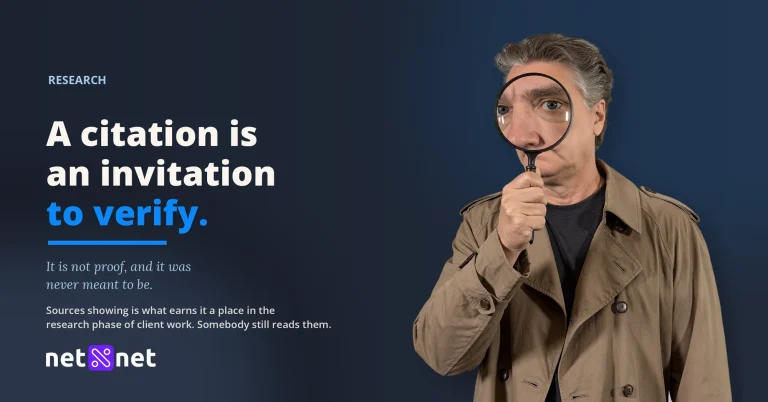
The dangerous error is not clumsy wording. It is the plausible sentence that is wrong. Check for invented facts, sources that do not exist, altered quotations, dead links, and conclusions stronger than the evidence.
AI can flatten a client’s voice into clean, familiar mush. A grammatically correct draft can still sound like nobody in particular. The reviewer needs enough knowledge of the client’s actual point of view to notice.
Context gaps create another problem. The tool may not know a past client decision, contract boundary, internal sensitivity, or reason a previous direction was rejected. A human owner must supply and check that context without exposing protected information.
For creative work, review resemblance and originality. For technical work, test behavior instead of trusting the explanation. Compare summaries with the source. Before approving a recommendation, ask whether the reviewer would defend it directly to the client.
Build your hot-spot list from real failures. When the team catches a new pattern, add it to the relevant review standard and tell everyone who uses that workflow.
One named human owns what ships
Every Deliverable needs one person whose approval means, “I checked this and I stand behind it.” Shared responsibility has a habit of turning into nobody’s responsibility, especially when several people assume the tool handled the obvious details.
The owner does not need to perform every production step. They do need enough subject knowledge and authority to reject the work, request revision, verify the critical parts, and approve delivery.
Record the approval in the workflow. A completed review Task, an approval state, or a clear sign-off all work. This is not paperwork for its own sake. If the client asks a question later, the team can see who reviewed the work and what standard they used.
Named ownership also creates a feedback loop. If review keeps finding the same problem, change the prompt, the source material, the kind of Task, or the decision to use AI at all. The review gate should improve the workflow, not merely catch the same mistake forever.
Client transparency should follow the firm’s agreement and policy. Should I tell clients when my team uses AI? explains how to frame the conversation around judgment, data protection, and human responsibility.
FAQ
Do we need a written AI policy?
A short policy helps. Name where AI is allowed, what always needs human review, and what client information may never be pasted into a tool. One clear page the team uses beats a policy nobody can remember.
How do I review AI work without losing the time it saved?
Focus on the known hot spots: invented facts, weak sources, missing context, and off-brand voice. That is faster than treating every draft as equally risky and catches the mistakes most likely to reach the client.
Should we tell clients when we use AI?
Follow the client’s expectations and any terms you have agreed to, and lead with the fact that a human owns and reviews the final work. Most clients care less about which tools you used and more that the output is accurate and accountable.
See your work before it drifts.
Net Net keeps plan and effort side by side, so you catch the slip while there is still time to act.
Start your free trial